
Browse Chats, Save Private Videos & Read with Built-in Dictionary
No need to copy broken links or deal with slow bots. Tesu lets you view all your Telegram chats, channels, and media directly in one place. Save private videos to your gallery, watch in 4K, and read documents with instant dictionary lookups.
500,000+
Videos Saved
100,000+
Happy Android Users
4.9 ★★★★★
Play Store Rating
Experience Tesu Core Features
Click the tabs below to explore how you can browse chats, watch 4K media, and read documents with dictionary lookup.
💬 Your Telegram Chats Inside Tesu
Direct Access to All Your Media
Unlike website downloaders that ask you to copy/paste confusing links, Tesu connects directly with your Telegram account. All your conversations, private channels, and groups appear in a clean, high-speed interface where you can browse and save any file instantly.
- ✓ Direct download to phone gallery without link pasting
- ✓ Save from private channels & invite-only groups
- ✓ Background batch downloads with pause & resume
Everything You Need to Manage Telegram Media
Designed specifically for Android users who need a fast, reliable way to view, save, watch, and read content from their Telegram chats.
Direct Chat & Channel Browser
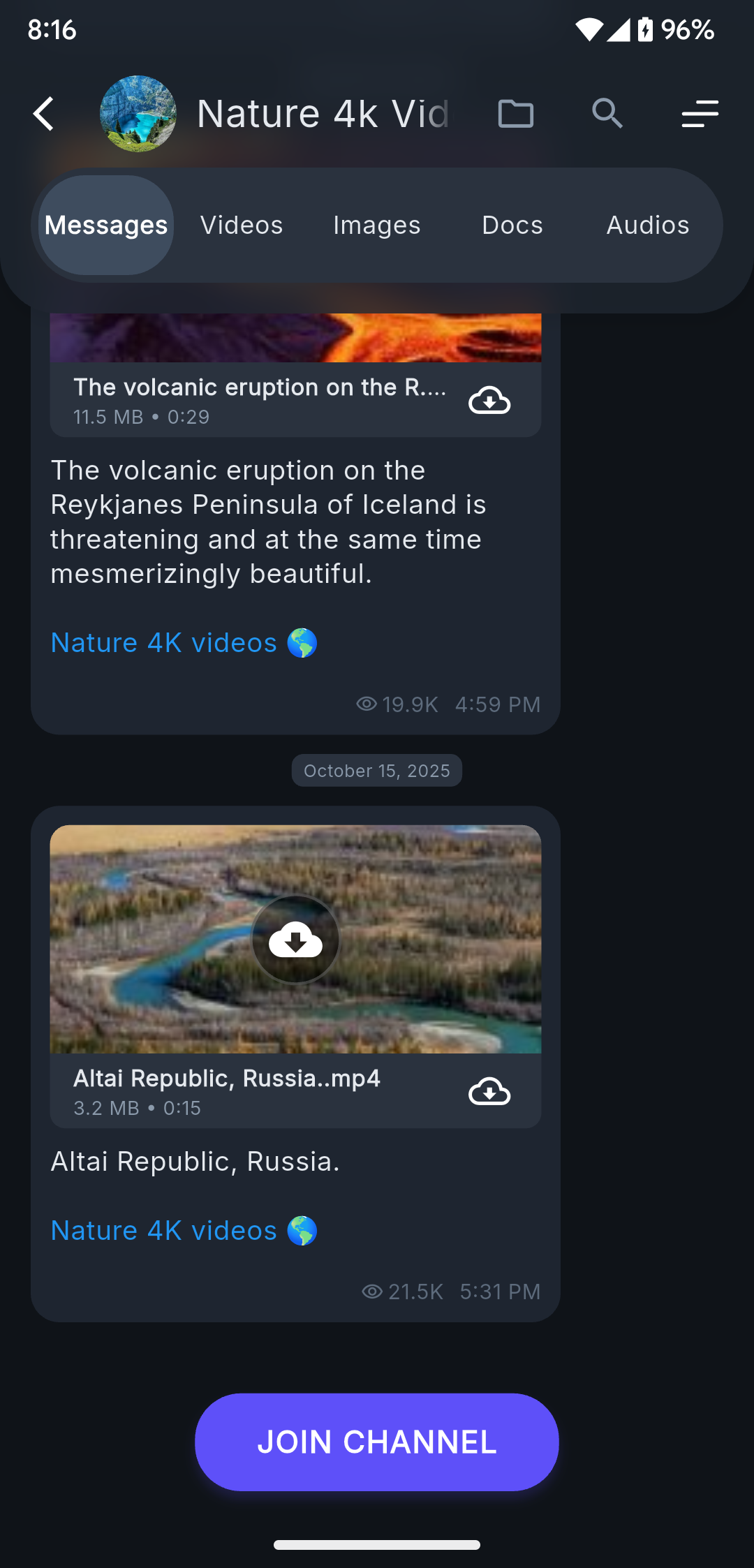
Browse all your personal conversations, private groups, and joined channels directly inside Tesu. See all media files organized in dedicated tabs.
Private & Restricted Video Saver
Download and save videos from private channels and restricted groups directly to your phone gallery for permanent offline access.
Document Reader with Built-in Dictionary
Open and read PDFs, research papers, and ebooks received on Telegram. Tap any word to get an instant dictionary definition right inside the reader.
Built-In 4K/HD Video Player
Watch your downloaded Telegram videos instantly with our smooth hardware-accelerated video player supporting all formats (MP4, MKV, AVI, MOV).
High-Speed Batch Downloads
Download multiple videos, documents, or high-resolution photos at once. Enjoy background downloads with auto-resume support even with unstable WiFi.
Direct Gallery Organization
All downloaded files are automatically cataloged into your Android Gallery / Photos app with clean filenames, timestamps, and thumbnail previews.
How to Browse & Save Media with Tesu
No link pasting or third-party bots. Just simple, direct browsing and downloading on your device.
Open Tesu & Browse Chats
Launch the Tesu app to see all your Telegram conversations, channels, and private groups neatly listed with media tabs.
Select Video or Document
Tap into any chat or channel. Browse through videos, photos, audio, or documents sent in the conversation.
Save to Gallery or Read
Tap Save to Gallery to download the video, watch it in the built-in 4K player, or read docs with the built-in dictionary.
Tesu App vs Bots & Web Downloaders
See why over 100,000+ users choose Tesu over unreliable Telegram bot downloaders and slow web tools.
| Feature / Capability | ✨ Tesu App | 🤖 Telegram Bots | 🌐 Online Web Downloaders |
|---|---|---|---|
| Browse Chats & Media in App | ✓ Full Chat & Media View | ✗ Bot chat only | ✗ Link paste only |
| Private & Restricted Channel Media | ✓ Full Native Access | ✗ Blocked / Fails | ✗ Not Supported |
| Built-in Document Viewer + Dictionary | ✓ Instant Tap Dictionary | ✗ None | ✗ None |
| Hardware-Accelerated 4K Player | ✓ Built-in with Subtitles | ✗ None | ✗ None |
| Download Speed & File Size | ✓ Turbo (Up to 4GB+) | ✗ Capped at 20MB/50MB | ✗ Capped at 100MB |
| Direct Android Gallery Sync | ✓ 1-Click Save to Gallery | ✗ Manual Save Required | ✗ Buried in Browser Downloads |
Everything You Want to Know About Tesu
Answers to popular questions about downloading private Telegram videos, reading documents with dictionary, and app safety.
Tesu displays your Telegram account chats, private groups, and channels directly inside the app. You can browse through your media files and save any video or photo directly to your Android gallery with 1-click.
When you open any PDF, research document, or ebook inside Tesu, simply tap on any word you don't know. An instant dictionary card appears showing you the definition, grammatical part of speech, and pronunciation without leaving the document.
Yes! Because you access your chats natively within Tesu, you can download and save media from authorized channels directly to your phone storage for offline viewing.
All downloaded files are saved directly into your device's primary /Movies/Tesu/ or /DCIM/Tesu/ folder. They instantly appear in your Google Photos, Samsung Gallery, or default Android Gallery application.
Tesu is 100% free to download and use on Android. Unlike Telegram bots that enforce 20MB or 50MB limitations, Tesu can download full HD movies, documentaries, and large files up to 2GB and 4GB without size restrictions.
No. Tesu is engineered with a strict privacy-first architecture. All parsing and video saving operations occur locally on your smartphone. We do not store, log, or track your downloaded videos or personal details.